Skip to navigation Skip to content
Skin Care Spot PH
  • Home
  • Account
  • Cart
  • Checkout
  • Login
  • Logout
  • Members
  • My account
  • My Portfolio
  • Password Reset
  • Register
  • Shop
  • Skin Care Spot PH
  • User
  • Restricted content
  • Home
  • Account
  • Cart
  • Checkout
  • Login
  • Logout
  • Members
  • My account
  • My Portfolio
  • Password Reset
  • Register
  • Shop
  • Skin Care Spot PH
  • User
  • Restricted content
  • ₱0.00 0 items
Home / Project / 6. Install and Configure Wordfence Plugin

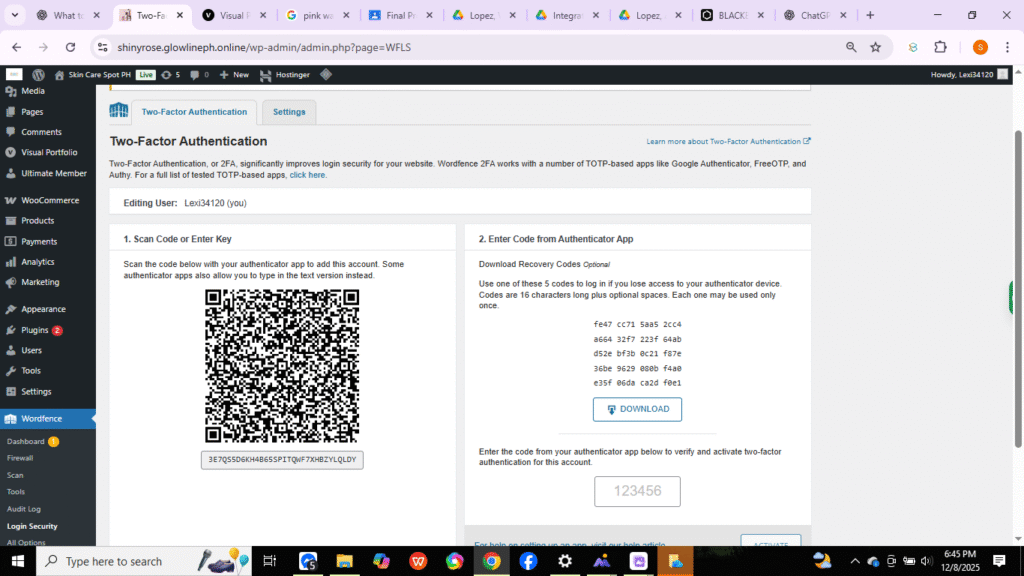
6. Install and Configure Wordfence Plugin

Post navigation

Previous post: 5. Install and Configure White Label Plugin
Next post: 7. Intall and Configure Ultimate Member for User
Leave a Reply Cancel reply

Your email address will not be published. Required fields are marked *

© Skin Care Spot PH 2026
Built with WooCommerce.
  • My Account
  • Search
  • Cart 0